Plan your exam week with less stress
Link your timetable, add your tests between your lessons and tasks, and spread your studying over the days before. Pip makes a suggestion, you choose what goes into your plan.
Updated


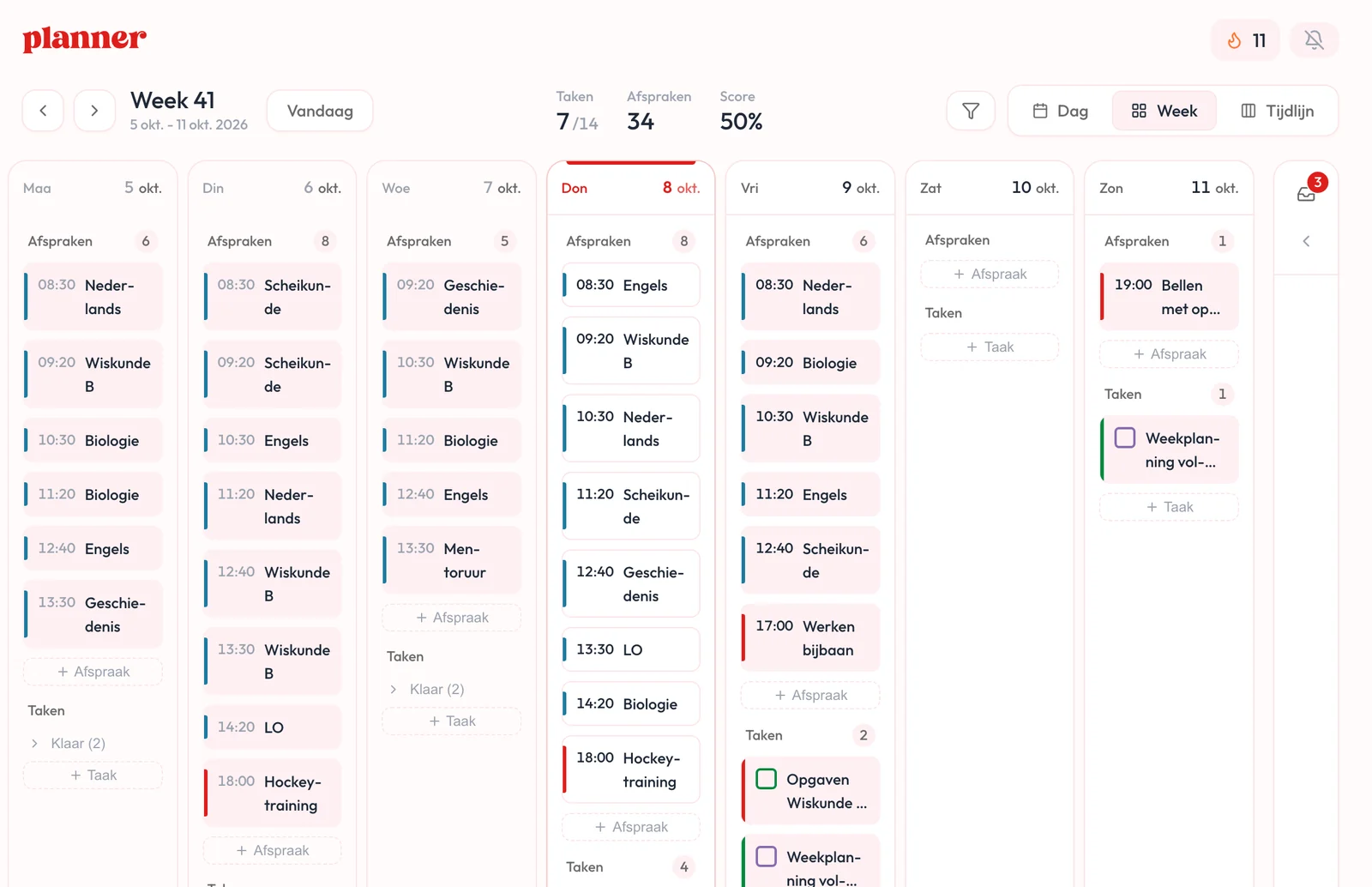
Your lessons and tests next to your tasks
You see your lessons, tests and tasks together, so you know what fits in a day. Link your timetable from Magister or Somtoday once. Your tests do not come with the calendar link, so you add them yourself. The app shows you step by step how to link it.
How to connect your timetable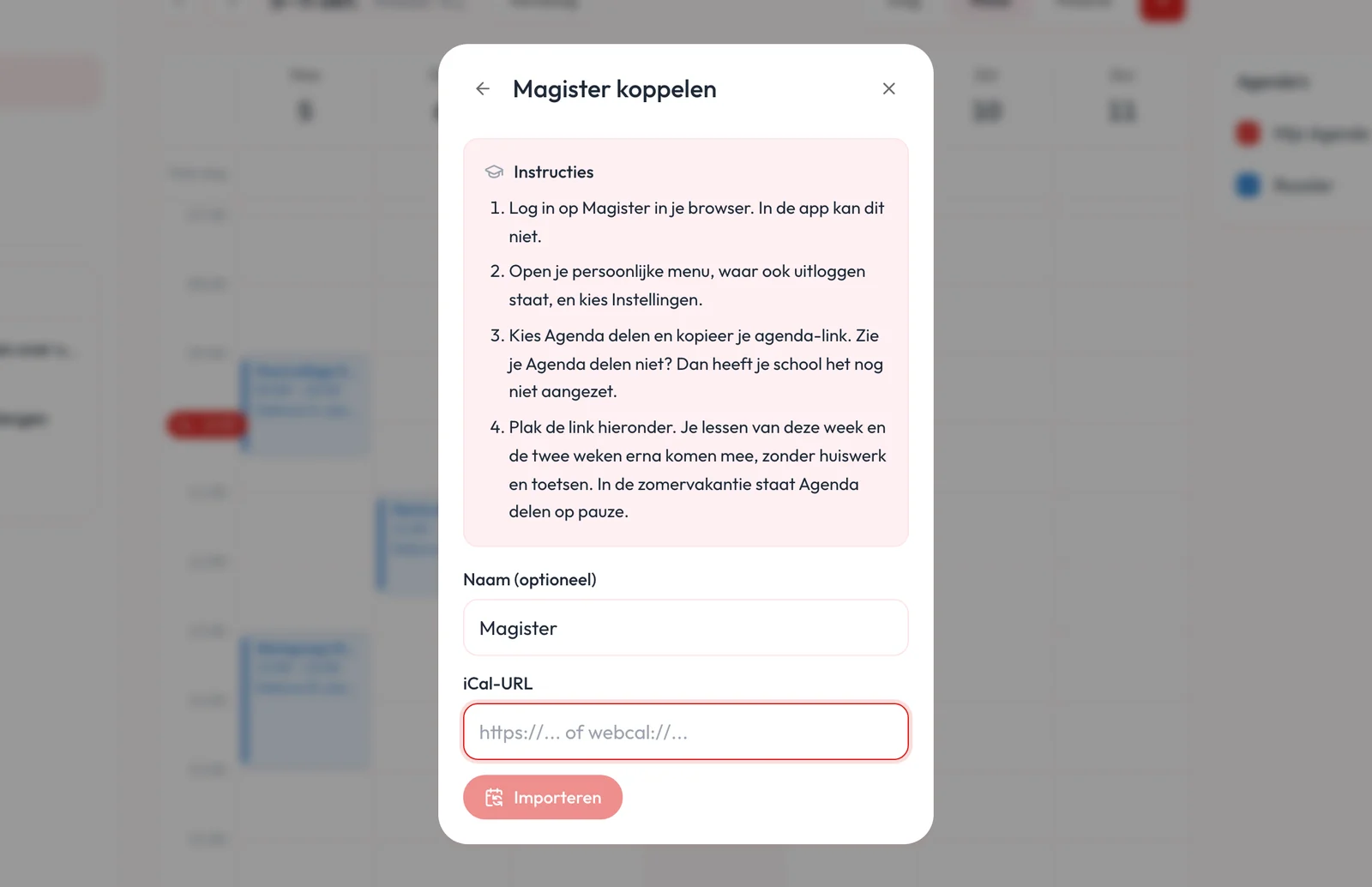
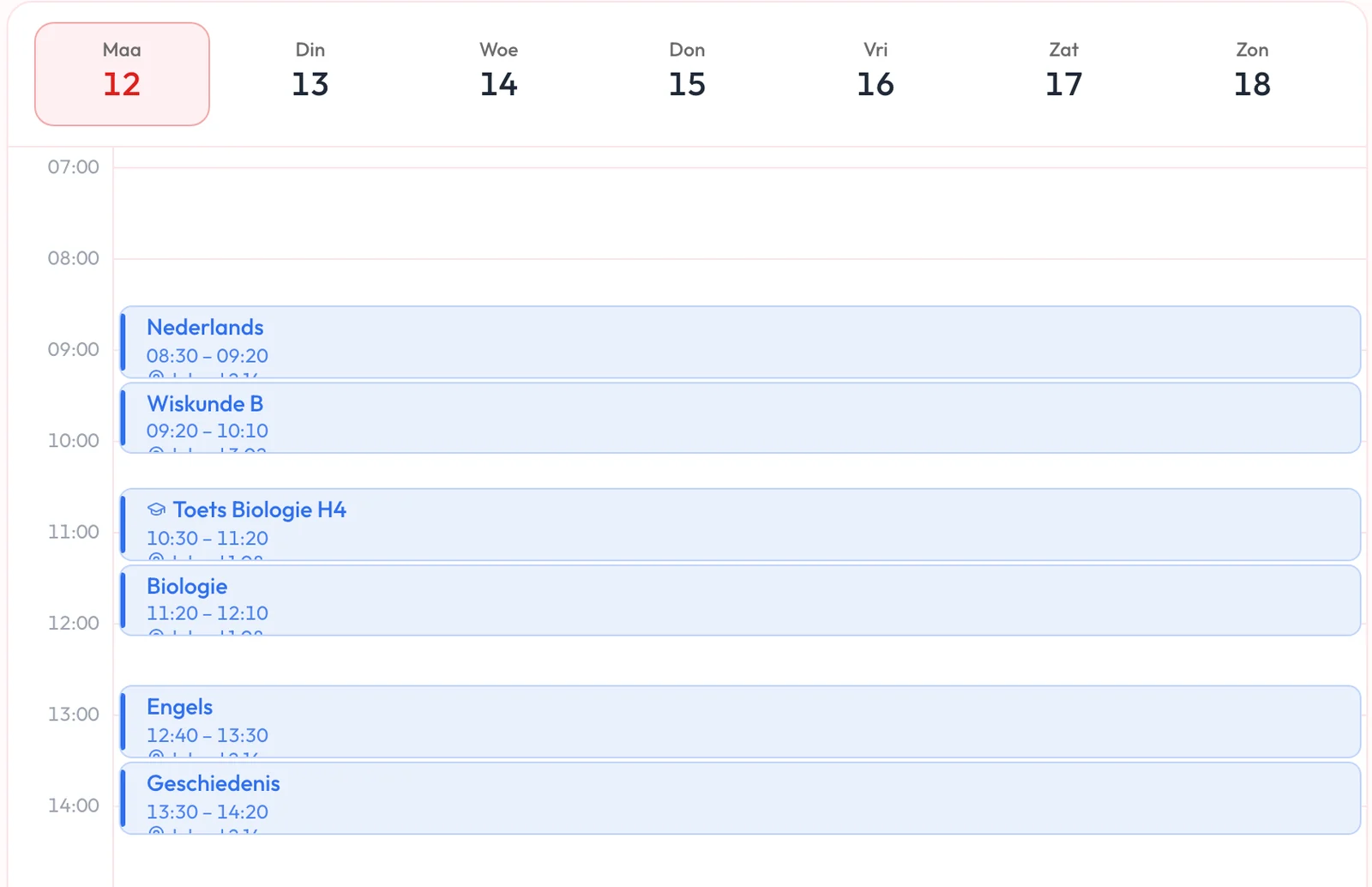
A test stands out between your lessons
Your calendar shows which appointment is a test, with a graduation cap next to it. The app recognises a test by a Dutch word in its title, like toets, SO or PW, and you can also mark an appointment as a test yourself.
Pip spreads your studying over the days before
You start in time and in small chunks, without working it all out yourself. For tests coming up, Pip looks at what fits and suggests study sessions on the days before. You choose how many. Tell Pip what you need to know and you also get a few concrete steps per session.
How to plan studying for one test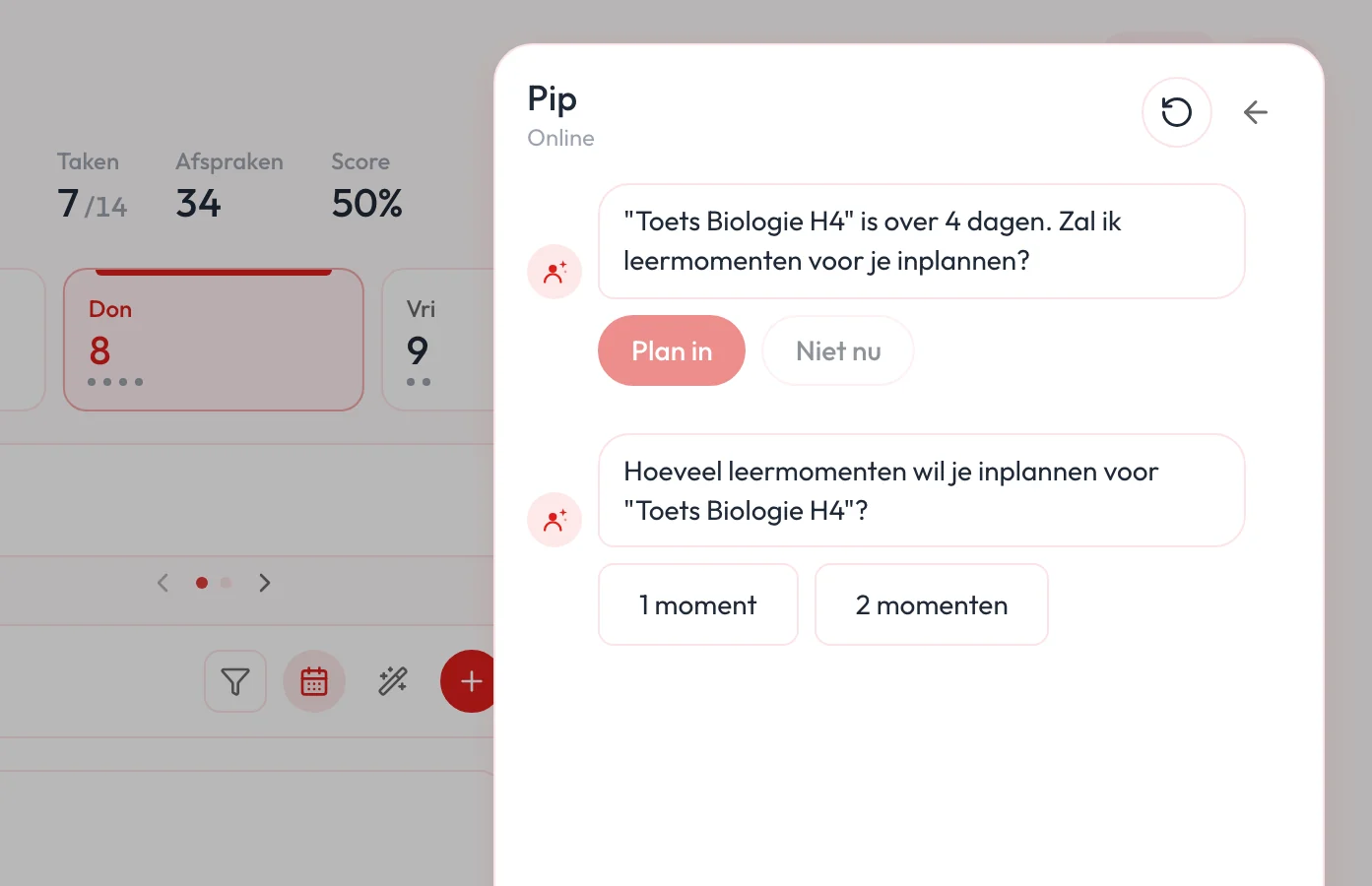
All your tests in one place
With several tests close together, you see at a glance where you stand and which days are already full. For each test you see how many study sessions are planned, and you plan the rest from the overview. Before and after a test, Pip also checks in to see how it went.
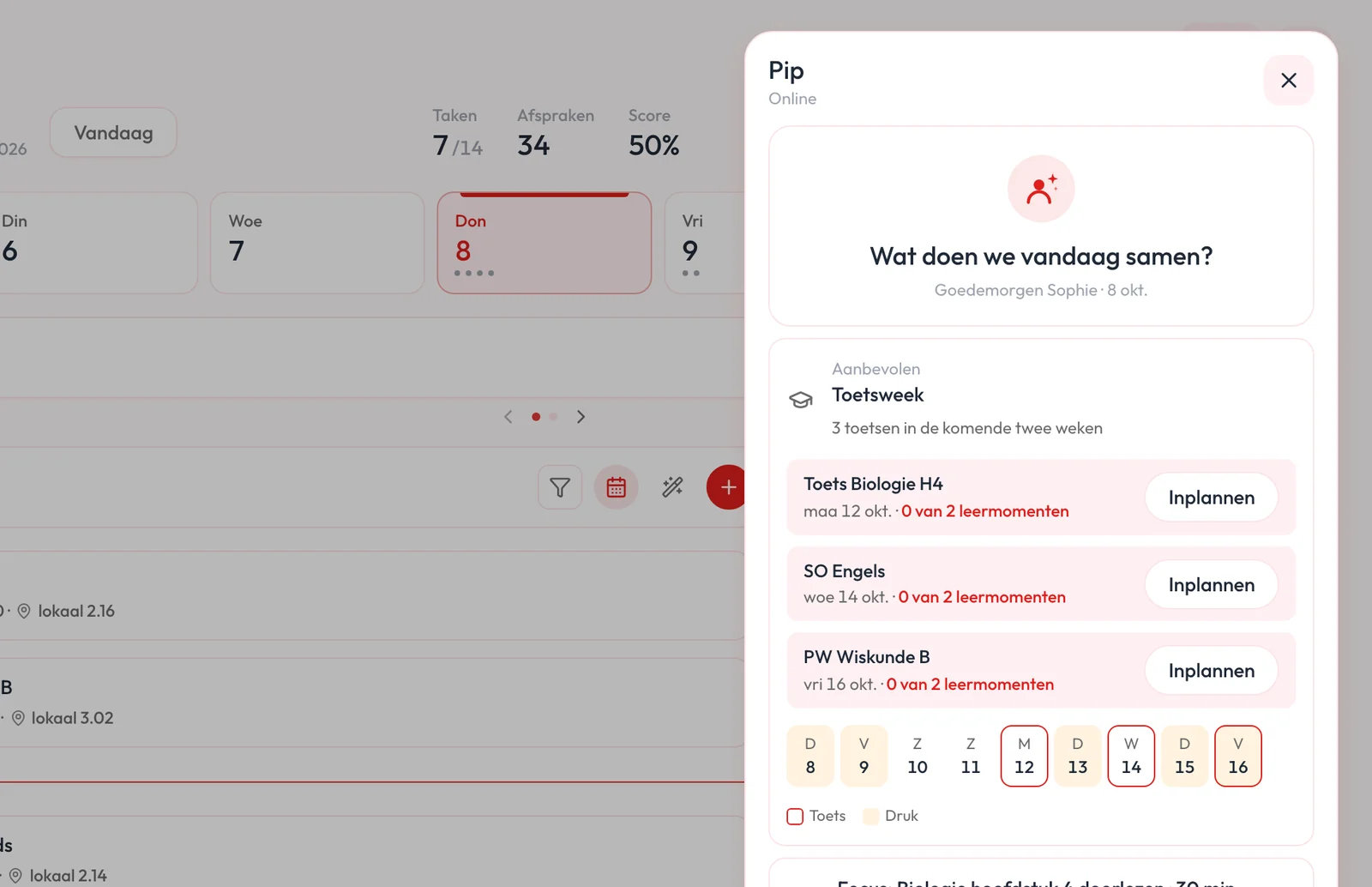
How do you spread your studying over your exam week?
If you leave everything for the night before the test, that night gets long and full. Study in shorter blocks over a few days and you come across the material more often, so you notice sooner what you still find hard. That leaves time to ask about it. The night before, you go over what you already know.
Questions about your exam week
Can I link my Magister timetable?
Yes. The app shows you step by step how to link your Magister timetable. After that your lessons are in your calendar. Tests and homework do not come with the Magister calendar link, so you add them yourself.
Does it work with Somtoday?
Yes. The steps for Somtoday are in the app too.
My school uses something else, like Smartschool, Zermelo or itslearning. Can I use that?
If your school’s system offers a calendar link (iCal), you can link that. We are still looking into which systems do. Know how it works at your school? Let us know through the feedback in the app.
Do changes to my timetable come along?
Yes. When you open the app, it fetches your timetable again. A moved or cancelled lesson then shows up in your calendar.
Does Pip add things to my plan by itself?
Pip makes a suggestion. You choose how many study sessions you want, and only then do they go into your plan. You can still move or remove them afterwards.
Does it work for university exams too?
Yes. If you study or work, the app says exam (tentamen) instead of test (toets). Everything else works the same.
Is this free?
Able to Plan has a free version for your appointments and tasks. Pip, with study sessions and the exam week overview, and linking your timetable are part of Premium. You can try them for free during the trial.
Try it for your next exam week
Link your timetable, choose your study sessions and see how your week looks. You can try Pip and timetable linking for free during the trial.