Which planner app suits school?
A planner for school shows your lessons, tests and appointments and gives your tasks a moment in your week. There are roughly five ways to do that: a paper planner, your school system, a calendar app, a to-do app and a planner app like Able to Plan. Here you see what each one does, so you can choose what suits you.
Updated


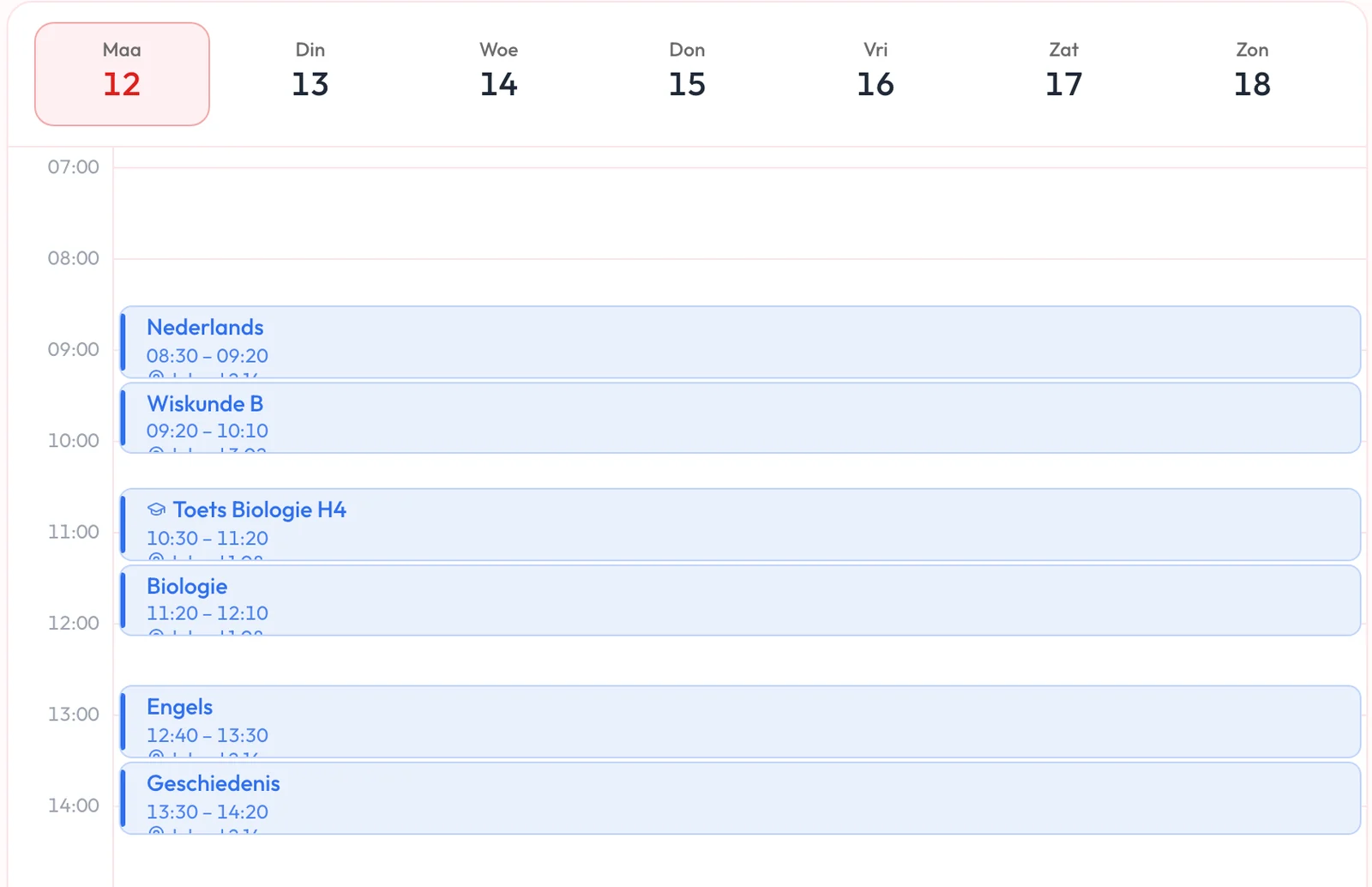
What should a planner for school do?
Five questions help you choose. You do not need a yes to all of them, look at what you need.
- 1
Do you see your lessons and appointments?
With your timetable and your other appointments in one place, you see straight away how much time you have left.
- 2
Can you give tasks a moment?
A list of homework becomes a plan once every task gets a day or a time.
- 3
Does it help with tests?
For a test you want to spread your studying over the days before. Some planners help with that, with others you do it yourself.
- 4
Do you have it with you everywhere?
On your phone between lessons, on your laptop when you do homework. Check that your plan is the same on all your devices.
- 5
What does it cost?
Free, one-off or monthly. Also check what you get in the free version.
How do the options differ?
This is what you can generally expect from each kind of planner. It varies a little per app, so always check the app you want to use.
| What to look for | Paper planner | School system | Calendar app | To-do app | Able to Plan |
|---|---|---|---|---|---|
| Lessons and appointments | You write them down yourself | Your timetable, as your school enters it | Your appointments, and your timetable if you add a calendar link | Usually not, the app is about tasks | Your own appointments. You connect your phone calendar and your school timetable with Premium |
| Giving tasks a moment | Yes, by hand | What your school puts in it, like homework | Possible, often as a separate list next to your calendar | Yes, with a date, apart from your appointments | Yes, tasks and appointments together in your day |
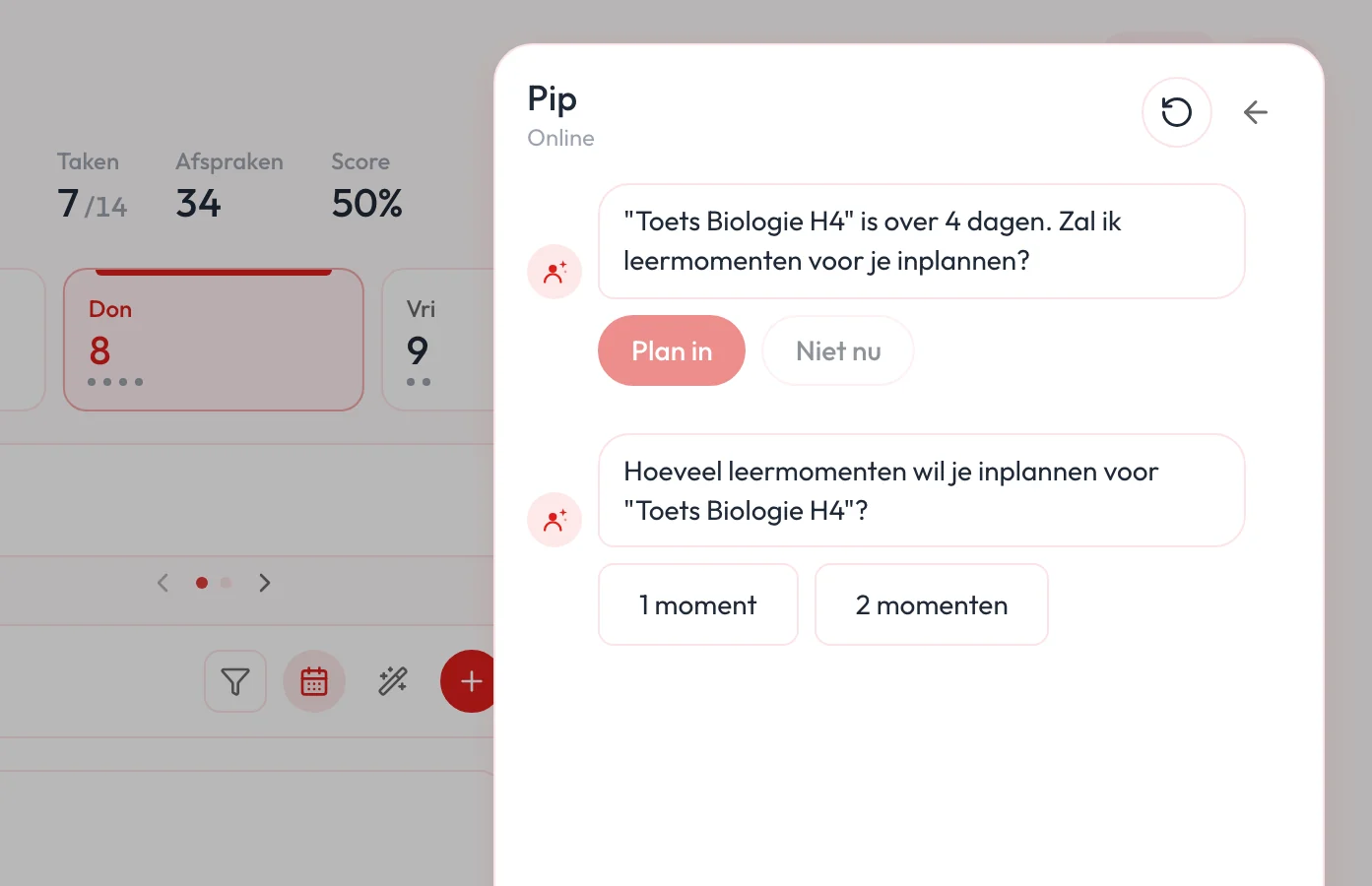
| Tests and studying | You plan your studying yourself | Tests appear if your school enters them | You plan your studying yourself | You plan your studying yourself | With Premium, Pip suggests study sessions on the days before your test |
| Phone and laptop | Paper only | Usually an app or website from your school | Yes, on your devices | Yes, on your devices | iPhone, iPad and Android. Web and sync between devices with Premium |
| Help with planning | Your own overview | Overview of what your school sets | Reminders | Reminders, varies per app | With Premium, Pip makes suggestions, you decide |
| Cost | One-off, a new one each year | Through your school | Often free | Often free, extra features paid | Free on your phone, Premium €24.99 a year or €2.99 a month |
You can also combine them. You connect your school timetable (from Magister or Somtoday) to Able to Plan with Premium, and you scan a page from your Planable planner in the app.
Which planner suits you?
Everyone plans differently. This is how you can choose.
- 1
You like writing by hand
A paper planner works well if you like writing things down. Want it on your phone too? Scan a page of your Planable planner in Able to Plan.
- 2
You mostly follow what school sets
Your school system usually shows your timetable and what your school sets. For your own tasks and appointments you often need something next to it.
- 3
You mostly have appointments
A calendar app is handy for fixed times. Tasks without a fixed time are easier to lose there.
- 4
You mostly have loose tasks
A to-do app keeps track of what needs doing. Whether it fits into a day only shows once you look at your appointments too.
- 5
You want everything in one place
In Able to Plan your appointments, timetable and tasks sit together. Pip helps you spread out your week and plan study sessions for your tests.
What does Able to Plan do for school?
Connect your timetable from Magister or Somtoday, add your tests to your calendar and plan your tasks in the time between your lessons. For a test, Pip asks how many study sessions you want and spreads them over the days before. You start free on your phone. With Premium your plan is on your iPad and laptop too.
Questions about a planner for school
What is a good planner app for school?
A planner app that shows your lessons, tests and appointments and gives your tasks a moment in your week. Able to Plan does that: you connect your timetable from Magister or Somtoday, plan your tasks between your lessons, and with Premium Pip helps you spread your studying for tests.
Is the school system enough as a planner?
For your timetable and what your school sets, often yes. Your own tasks and appointments, like sport or work, are usually not in it. That is why many students connect their timetable to a planner app.
Can I see my Magister or Somtoday timetable in Able to Plan?
Yes. You create a calendar link in Magister or Somtoday and paste it into Able to Plan. Your lessons then sit next to your tasks. Tests and homework are not in that link, you add those to your calendar yourself. Connecting your timetable is part of Premium.
Is Able to Plan free?
On your phone you start free with your appointments, tasks and reminders. Premium costs €24.99 a year or €2.99 a month and gives you the web app, sync, Pip and connecting your timetable. Your first 14 days of Premium are free.
Can I keep using my paper planner?
Yes. If you use a Planable planner, you scan a page and your tasks are in the app. That way you use paper and the app side by side.
Try a week with everything in one place
Start free on your phone or try Premium for 14 days, Pip included. You do not need a credit card.